Dual Swipe. Dictate. Organize.
The intelligent input layer for Apple: a keyboard that understands what you type and say — on-device, and yours to customize.
Dual Swipe — Swipe with two thumbs at once — each traces part of the word.
Learns your words
Swipe a new word once. It joins your dictionary and is suggested next time.
→ the · Auto
Typo pattern
117 uses
Dinner at Rua Augusta 24, 7pm — table for four
It learns your words.
Swipe a new word once. Next time, it’s the suggestion.
It fixes your typos.
It learns the typos you actually make and corrects them as you type.
Record on your wrist. Read the transcript.
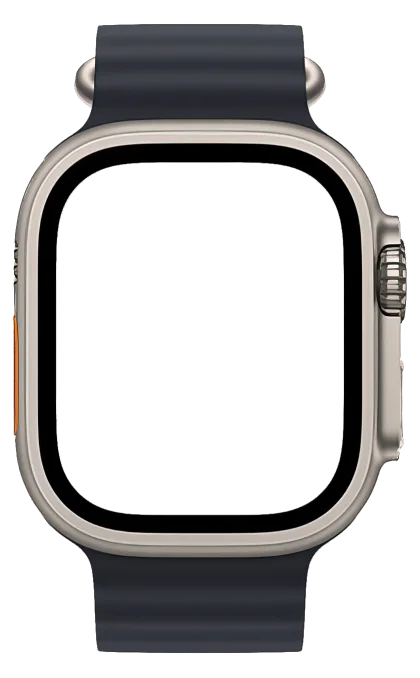
Voice memos from Apple Watch land in your notes, transcribed.
Everything you copy, kept.
Copy in any app, then swipe up on the space bar to find it again.
It learns your words.
Swipe a new word once. Next time, it’s the suggestion.
It fixes your typos.
It learns the typos you actually make and corrects them as you type.
Record on your wrist. Read the transcript.
Voice memos from Apple Watch land in your notes, transcribed.
Everything you copy, kept.
Copy in any app, then swipe up on the space bar to find it again.
Learns your words
Swipe a new word once. It joins your dictionary and is suggested next time.
→ the · Auto
Typo pattern
117 uses
Dinner at Rua Augusta 24, 7pm — table for four
Clipboard & notes
Everything you copy, kept.
Copy in any app with the Weavly keyboard open and it lands in your Notes History, right next to what you've recorded. Swipe up on the space bar, tap a card, paste.
Copy anything, in any app
It lands in Notes History.
To: Ana
Message
Swipe up on space
Tap any card in Notes History to paste it.
Typo correction
We catch your typos before you do.
Weavly detects the mistakes you personally make, learns them, and fixes them as you type — on-device.
Your typing patterns
Tap a pattern to replay it.
Every language you use
Type in any language. Speak in any language.
Switch on the space bar and keep going — suggestions, accents and dual-swipe follow. Or dictate in your own accent and translate the note. 25+ languages, all on-device.
Intelligence
Talk once. Get whatever you need from it.
The same recording becomes attendees, action items, a summary, a ready-to-send email — one tap each, processed on your device.
Quick sync with Ana and Leo on the Watch app. We agreed to ship the update on Friday and leave the localized screenshots for later. Leo finishes the onboarding screens, Ana drafts the release notes. Next check-in Monday.
Intelligence
Ana
Release notes
Leo
Onboarding screens
You
Organizer
A real editor
Beautiful notes, on iPhone and iPad.
Type the markdown you know and watch it format itself, or tap the toolbar for headings, checklists and indents. The same note, ready on your iPad.
Playing — tap a line, a tool, a checkbox or Copy to take over.
Share & export
Write it once. Send it in any shape.
The same note becomes plain text for a chat, Markdown for your docs, HTML for the web, or a clean PDF for anyone who just wants to read it.
One note, four formats — pick the one the other side can open.
Private notes
Lock everything. Or just what matters.
Put all your notes behind Face ID, Touch ID or a PIN, or lock only the tags you choose. Either way, they lock themselves again after.
Only the tags you choose stay frosted. Tap a lock to choose.
Addresses
4 notes
Studio — 14 Rua Augusta
Code Snippets
7 notes
git rebase -i HEAD~3
Emails
3 notes
Reply to the venue
Ideas
3 notes
Watch app complication
Phone Numbers
2 notes
Plumber — call after 5
Transcriptions
9 notes
Standup, Monday 9:00
Everything in one keyboard
Nine features. One thread.
Type, speak, capture and organize — each part feeds the next, all on your device.
Dictate & translate
Dual swipe or record. 25+ languages, your accent included — on-device.
Text
weavly.app/support
Recording
Remember to send the project update
Copied, recorded — one history
Copy in any app; swipe up on the space bar to find it.
Learns your typos
Your words stay, your usual slips get fixed.
Addresses
12 Harbour St · Apt 3B
Gate code 4471
Private notes
Lock tags with Face ID, Touch ID or a PIN.
Send the assets to Mark today. Get John’s approval tomorrow by 9am.
Notes that act
Action items, owners and due dates — pulled from what you said.
Make it yours
App icons and keyboard themes.
Recording
Ship the watch flow
From your wrist
Record on the Watch; it lands in Notes.
# Weavly App
**Dual Swipe. Dictate. Organize.**
> Turning thoughts into action.
A real editor
Markdown headings, checklists and code blocks.
Export notes. And your data.
Plain text, Markdown, HTML, PDF — plus your dictionary.
Customization
Personalize Weavly to match your style
Weavly fits into your workflow and your aesthetic. With 18 custom-crafted icon variants, make the app truly yours.